<div class="item-container">
<p>新闻标题</p>
<img src="./img/loading.gif" data-src="./img/animal1.jpeg"/>
</div>
<div class="item-container">
<p>新闻标题</p>
<img src="./img/loading.gif" data-src="./img/animal2.webp"/>
</div>
<div class="item-container">
<p>新闻标题</p>
<img src="./img/loading.gif" data-src="./img/animal3.jpeg"/>
</div>
<div class="item-container">
<p>新闻标题</p>
<img src="./img/loading.gif" data-src="./img/animal4.webp"/>
</div>
<div class="item-container">
<p>新闻标题</p>
<img src="./img/loading.gif" data-src="./img/animal5.webp"/>
</div>
<div class="item-container">
<p>新闻标题</p>
<img src="./img/loading.gif" data-src="./img/animal6.webp"/>
</div>
<script src="https://cdn.bootcdn.net/ajax/libs/lodash.js/4.17.21/lodash.min.js"></script>
<script>
function mapImagesAndTryLoad() {
const images = document.querySelectorAll('img[data-src]')
if (images.length === 0) return
images.forEach(img => {
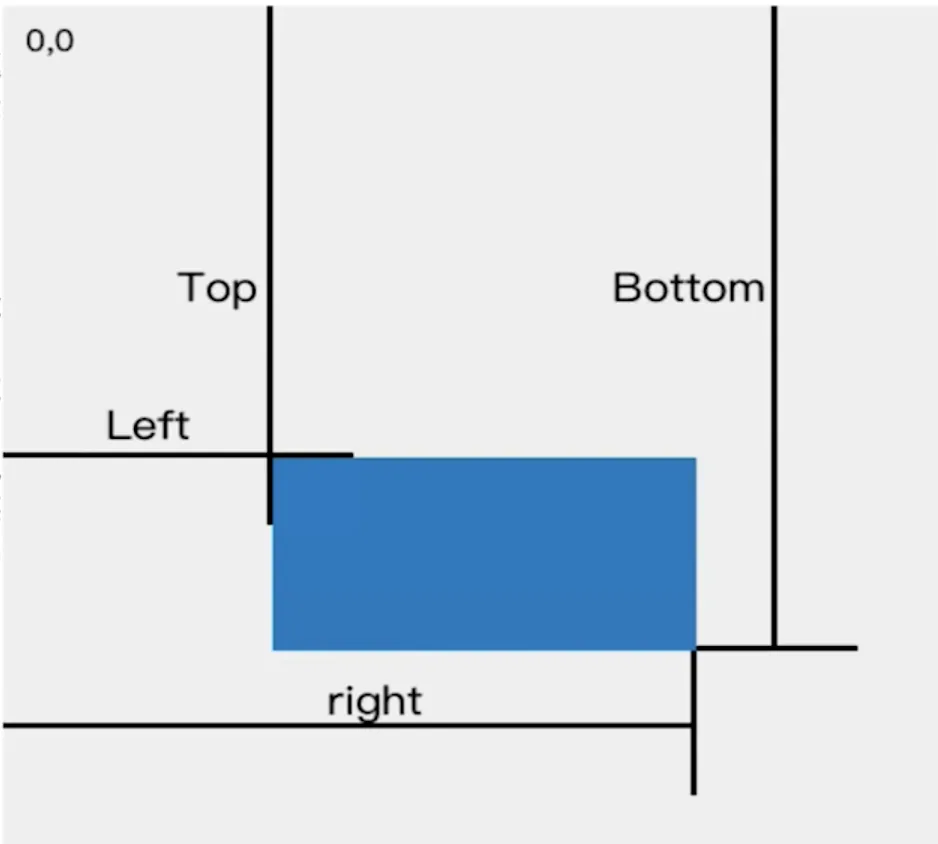
const rect = img.getBoundingClientRect()
if (rect.top < window.innerHeight) {
img.src = img.dataset.src
img.removeAttribute('data-src')
}
})
}
window.addEventListener('scroll', _.throttle(() => {
mapImagesAndTryLoad()
}, 100))
mapImagesAndTryLoad()
</script>