
11 性能优化
使用shouldComponentUpdate优化
shouldComponentUpdate(简称SCU) 允许我们手动地判断是否要进行组件更新,根据组件的应用场景设置函数的合理返回值能够帮我们避免不必要的更新PureComponent和React.memo- 不可变值
immutable.js - 使用
key来帮助React识别列表中所有子组件的最小变化
- React 默认 :
父组件有更新,子组件则无条件也更新!!!- 性能优化对于
React更加重要!SCU一定要每次都用吗?—— 需要的时候才优化
总结
shouldComponentUpdate默认返回true,即react默认重新渲染所有子组件- 必须配合
不可变值使用 - 可先不使用
SCU,有性能问题在考虑
    import React from 'react'

    class App extends React.Component {
        constructor(props) {
            super(props)
            this.state = {
                count: 0
            }
        }
        render() {
            return <div>
                <span>{this.state.count}</span>
                <button onClick={this.onIncrease}>increase</button>
            </div>
        }
        onIncrease = () => {
            this.setState({
                count: this.state.count + 1
            })
        }
        // 演示 shouldComponentUpdate 的基本使用
        shouldComponentUpdate(nextProps, nextState) {
            if (nextState.count !== this.state.count) {
                return true // 可以渲染
            }
            return false // 不重复渲染
        }
    }

    export default App
    import React from 'react'
    import PropTypes from 'prop-types'
    import _ from 'lodash'

    class Input extends React.Component {
        constructor(props) {
            super(props)
            this.state = {
                title: ''
            }
        }
        render() {
            return <div>
                <input value={this.state.title} onChange={this.onTitleChange}/>
                <button onClick={this.onSubmit}>提交</button>
            </div>
        }
        onTitleChange = (e) => {
            this.setState({
                title: e.target.value
            })
        }
        onSubmit = () => {
            const { submitTitle } = this.props
            submitTitle(this.state.title)

            this.setState({
                title: ''
            })
        }
    }
    // props 类型检查
    Input.propTypes = {
        submitTitle: PropTypes.func.isRequired
    }

    class List extends React.Component {
        constructor(props) {
            super(props)
        }
        render() {
            const { list } = this.props

            return <ul>{list.map((item, index) => {
                return <li key={item.id}>
                    <span>{item.title}</span>
                </li>
            })}</ul>
        }

        // 增加 shouldComponentUpdate
        shouldComponentUpdate(nextProps, nextState) {
            // _.isEqual 做对象或者数组的深度比较(一次性递归到底)
            if (_.isEqual(nextProps.list, this.props.list)) {
                // 相等,则不重复渲染
                return false
            }
            return true // 不相等,则渲染
        }
    }
    // props 类型检查
    List.propTypes = {
        list: PropTypes.arrayOf(PropTypes.object).isRequired
    }

    class TodoListDemo extends React.Component {
        constructor(props) {
            super(props)
            this.state = {
                list: [
                    {
                        id: 'id-1',
                        title: '标题1'
                    },
                    {
                        id: 'id-2',
                        title: '标题2'
                    },
                    {
                        id: 'id-3',
                        title: '标题3'
                    }
                ]
            }
        }
        render() {
            return <div>
                <Input submitTitle={this.onSubmitTitle}/>
                <List list={this.state.list}/>
            </div>
        }
        onSubmitTitle = (title) => {
            // 正确的用法
            this.setState({
                list: this.state.list.concat({
                    id: `id-${Date.now()}`,
                    title
                })
            })

            // // 为了演示 SCU ,故意写的错误用法
            // this.state.list.push({
            //     id: `id-${Date.now()}`,
            //     title
            // })
            // this.setState({
            //     list: this.state.list
            // })
        }
    }

    export default TodoListDemo
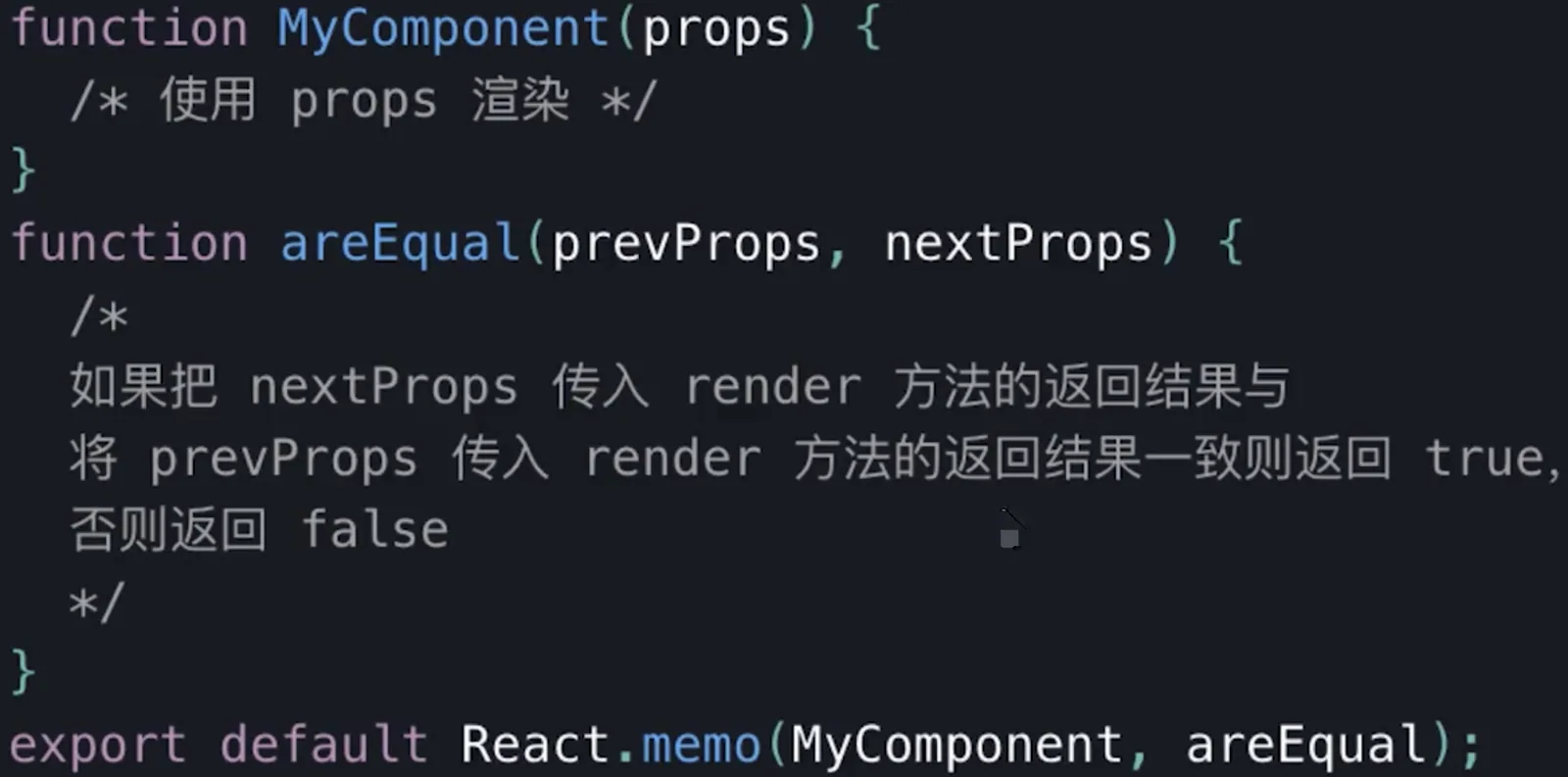
PureComponent和React.memo
PureComponent实现浅比较memo函数组件中的PureComponent- 浅比较已适用大部分情况
    import React from 'react'
    import PropTypes from 'prop-types'

    class Input extends React.Component {
        constructor(props) {
            super(props)
            this.state = {
                title: ''
            }
        }
        render() {
            return <div>
                <input value={this.state.title} onChange={this.onTitleChange}/>
                <button onClick={this.onSubmit}>提交</button>
            </div>
        }
        onTitleChange = (e) => {
            this.setState({
                title: e.target.value
            })
        }
        onSubmit = () => {
            const { submitTitle } = this.props
            submitTitle(this.state.title)

            this.setState({
                title: ''
            })
        }
    }
    // props 类型检查
    Input.propTypes = {
        submitTitle: PropTypes.func.isRequired
    }

    class List extends React.PureComponent {
        constructor(props) {
            super(props)
        }
        render() {
            const { list } = this.props

            return <ul>{list.map((item, index) => {
                return <li key={item.id}>
                    <span>{item.title}</span>
                </li>
            })}</ul>
        }
        shouldComponentUpdate() {/*浅比较*/}
    }
    // props 类型检查
    List.propTypes = {
        list: PropTypes.arrayOf(PropTypes.object).isRequired
    }

    class TodoListDemo extends React.Component {
        constructor(props) {
            super(props)
            this.state = {
                list: [
                    {
                        id: 'id-1',
                        title: '标题1'
                    },
                    {
                        id: 'id-2',
                        title: '标题2'
                    },
                    {
                        id: 'id-3',
                        title: '标题3'
                    }
                ]
            }
        }
        render() {
            return <div>
                <Input submitTitle={this.onSubmitTitle}/>
                <List list={this.state.list}/>
            </div>
        }
        onSubmitTitle = (title) => {
            // 正确的用法
            this.setState({
                list: this.state.list.concat({
                    id: `id-${Date.now()}`,
                    title
                })
            })

            // // 为了演示 SCU ,故意写的错误用法
            // this.state.list.push({
            //     id: `id-${Date.now()}`,
            //     title
            // })
            // this.setState({
            //     list: this.state.list
            // })
        }
    }

    export default TodoListDemo
优化性能的方式小结
类组件中的优化手段
- 使用纯组件
PureComponent作为基类。 - 使用
React.memo高阶函数包装组件。 - 使用
shouldComponentUpdate生命周期函数来自定义渲染逻辑。
方法组件中的优化手段
- 使用
useMemo配合React.memo高阶函数包装组件,避免父组件更新子组件重新渲染 - 使用
useCallBack配合React.memo高阶函数包装组件,避免父组件更新子组件重新渲染
其他方式
- 在列表需要频繁变动时,使用唯一
id作为key,而不是数组下标。 - 必要时通过改变
CSS样式隐藏显示组件,而不是通过条件判断显示隐藏组件。 - 使用
Suspense和lazy进行懒加载,例如:
    import React, { lazy, Suspense } from "react";

    export default class CallingLazyComponents extends React.Component {
      render() {
        var ComponentToLazyLoad = null;

        if (this.props.name == "Mayank") {
          ComponentToLazyLoad = lazy(() => import("./mayankComponent"));
        } else if (this.props.name == "Anshul") {
          ComponentToLazyLoad = lazy(() => import("./anshulComponent"));
        }

        return (
          <div>
            <h1>This is the Base User: {this.state.name}</h1>
            <Suspense fallback={<div>Loading...</div>}>
              <ComponentToLazyLoad />
            </Suspense>
          </div>
        )
      }
    }
React实现的移动应用中,如果出现卡顿,有哪些可以考虑的优化方案
- 增加
shouldComponentUpdate钩子对新旧props进行比较,如果值相同则阻止更新,避免不必要的渲染,或者使用PureReactComponent替代Component,其内部已经封装了shouldComponentUpdate的浅比较逻辑 - 对于列表或其他结构相同的节点,为其中的每一项增加唯一
key属性,以方便React的diff算法中对该节点的复用,减少节点的创建和删除操作 render函数中减少类似onClick={() => {doSomething()}}的写法,每次调用render函数时均会创建一个新的函数,即使内容没有发生任何变化,也会导致节点没必要的重渲染,建议将函数保存在组件的成员对象中,这样只会创建一次- 组件的
props如果需要经过一系列运算后才能拿到最终结果,则可以考虑使用reselect库对结果进行缓存,如果props值未发生变化,则结果直接从缓存中拿,避免高昂的运算代价 webpack-bundle-analyzer分析当前页面的依赖包,是否存在不合理性,如果存在,找到优化点并进行优化